
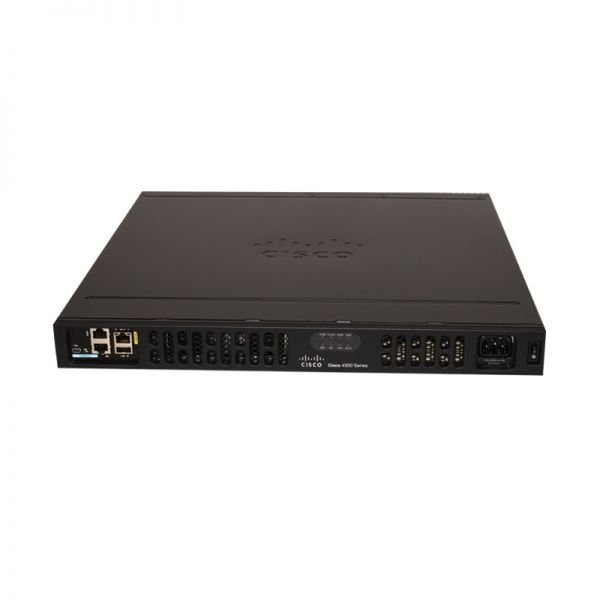
Description
ISR4351/K9 Overview
Cisco 4351 Integrated Services Router, which supports 3 Network Interface Modules (NIM) slots, delivers 200 Mbps to 400 Mbps aggregate throughput.
Quick Specs
Table 1 shows the Quick Specs.
| Product Code | Cisco
ISR4351/K9 |
| Aggregate Throughput | 200 Mbps to 400 Mbps |
| Total onboard WAN or LAN 10/100/1000 ports | 3 |
| RJ-45-based ports | 3 |
| SFP-based ports | 3 |
| Enhanced service-module (SM-X) slot | 2 |
| NIM (Network Interface Modules) slots | 3 |
| Onboard ISC slot | 1 |
| Memory | 4 GB (default) / 16 GB (maximum) |
| Flash Memory | 4 GB (default) / 16 GB (maximum) |
| Power-supply options | Internal: AC, DC (roadmap), and PoE |
| Rack height | 2 RU |
| Dimensions (H x W x D) | 43.9 x 438.15 x 507.2 mm |
Table 2 shows the LED descriptions.
| LEDs | Represents | Color | Description |
| PSU0 | Power Supply Unit (P0 and P1) Status | Green | PSU is on and is providing power. |
| Amber | PSU is on but with errors or in a failure condition. | ||
| Off | Power supply is turned off. | ||
| POE0 | POE PSU | Green | PoE is on and providing power. |
| Amber | PoE is in a failed condition. | ||
| Off | PoE supply is not present. | ||
| GE POE | Internal PoE Daughter Card Status | Green | PSU is installed and providing power |
| Amber | PSU is installed but in a failure condition. | ||
| Off | PSU is off. | ||
| FLASH | System Flash Status | Blinking Green | Compact flash/eUSB flash is present and currently being accessed. |
| TEMP | Temperature Status | Solid green | All temperature sensors in the system are within acceptable range. |
| Amber | One or more temperature sensors in the system are outside the acceptable range. | ||
| Off | Temperature is not being monitored. | ||
| PWR | System Power | Green | System power is on and functioning correctly. |
| Green blinking | System power is in the process of shutting down. | ||
| Amber | System power is up, but low level initialization failed. | ||
| Amber blinking | System power is up, but the system failed to come out of reset. | ||
| Off | System power is off. | ||
| SSD | mSATA Slot Status | Green | SSD mSATA is present and enabled. |
| Amber | Initialized with error. | ||
| Off | Not present. | ||
| ISC | ISC Slot Status | Green | PVDM4 is present and enabled. |
| Amber | Initialized with error. | ||
| Off | Not present. | ||
| FAN | Fan Status | Green | All fans are operating. |
| Amber | One fan has stopped working. | ||
| Blinking Amber | Two or more fans have stopped working, or the fan tray has been removed. | ||
| Off | Fans are not being monitored. | ||
| STAT | System Status | Solid green | System operating normally. |
| Blinking amber | BIOS/Rommon is booting. | ||
| Amber | BIOS/Rommon has completed booting, and system is at Rommon prompt or booting platform software. | ||
| Off | System is not out of reset or BIOS image is not loadable. |


Reviews
There are no reviews yet.